CodefyUI
A visual, node-based deep learning pipeline builder. Design CNN, RNN, Transformer, and RL architectures by dragging nodes onto a canvas, connecting them into a DAG, and executing the pipeline — all from the browser.
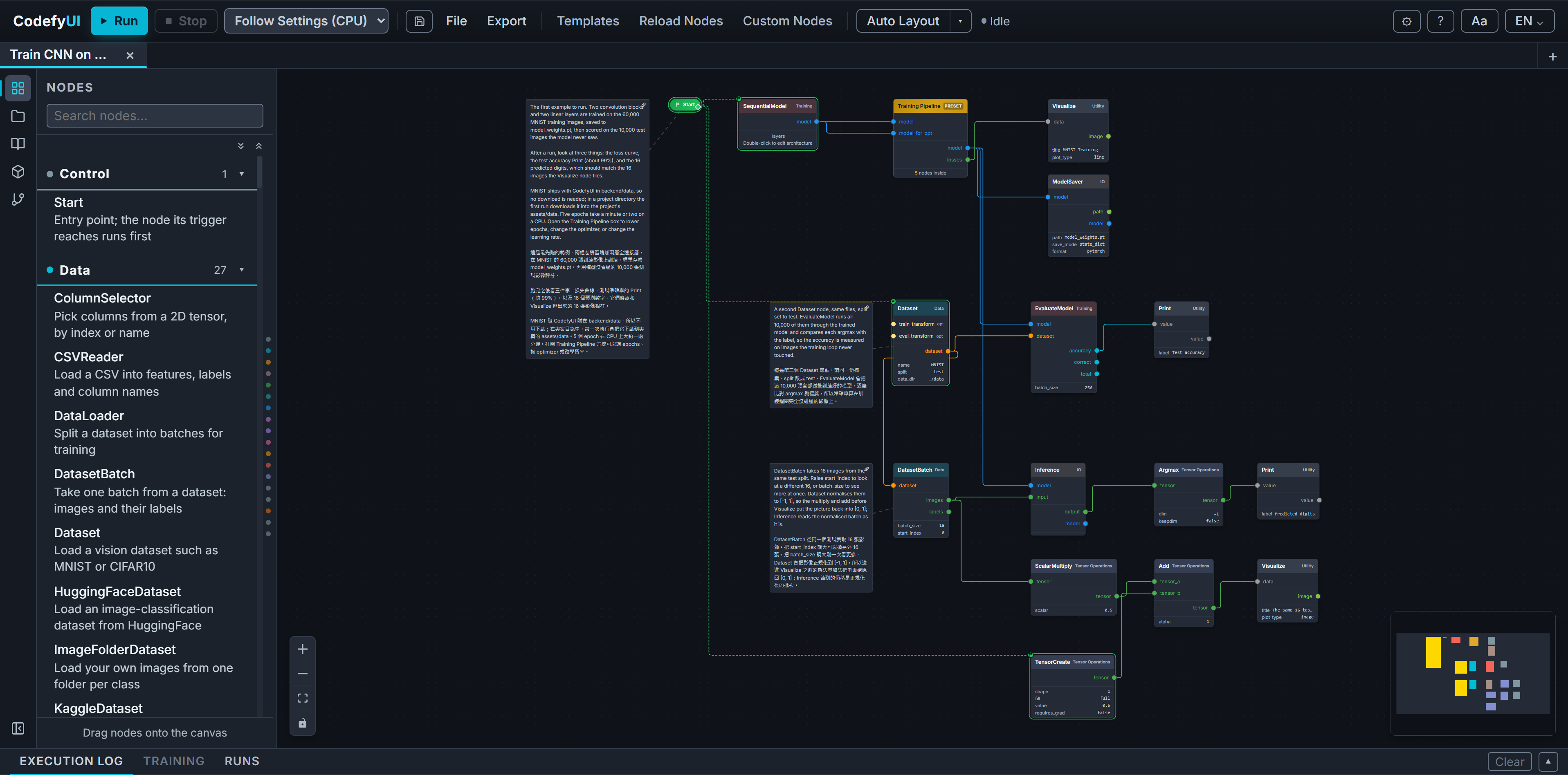
What you can do
- Build models visually. Drag and drop nodes, connect ports with type-safe edges, and receive validation in real time. CodefyUI includes 158 built-in nodes across 16 categories, including CNN, RNN, Transformer, RL, Data, Training, LLM, Diffusion, and Classical.
- Inspect tensors. The Teaching Inspector records every node's output. You can compare inputs and outputs cell by cell, capture gradients, and use a segment to compare only the input at the start of a subgraph with the output at its end.
- Monitor runs. A WebSocket stream reports per-node progress, live training-loss charts, and
Printoutput during execution. The Runs panel tracks queued, active, and completed runs. See Run Queue. - Save and move graphs. The sidebar Graphs tab lists the graphs saved on the server. Export → Workspace (.cduiworkspace) puts every open tab in one file that another browser can import. See Tabs & Persistence.
- Version and publish. The Source Control tab runs git on a project directory, and Publish serves a graph as a versioned HTTP endpoint protected by API keys.
- Extend the node system. Collapse selected nodes into a reusable subgraph, save a graph as a reusable preset, or add custom nodes from
.pyfiles. Install optional packs and plugin packs from the Package Center, the Plugin Center, or the CLI. - Select a device backend. Run on CPU, NVIDIA CUDA, Apple Silicon MPS, or AMD ROCm. You can select the backend during installation and for each run.
Quick start
Install only what's needed to run the app (git, uv, and Python) — no Node.js required for end users:
# macOS / Linux
curl -fsSL https://raw.githubusercontent.com/CodefyUI/CodefyUI/main/install.sh | bash
# Windows (PowerShell)
powershell -ExecutionPolicy ByPass -c "irm https://raw.githubusercontent.com/CodefyUI/CodefyUI/main/install.ps1 | iex"
Then open a new terminal and run:
cdui start
Open http://localhost:8000 — a single uvicorn process serves both the API and the prebuilt React app.
→ Full instructions in Installation.
Where to go next
| If you want to… | Start here |
|---|---|
| Install and launch the app | Getting Started → Installation |
| Pick the right GPU / CUDA / MPS build | GPU & Device Setup |
| Build and run your first graph | Usage → Your First Graph |
| Inspect tensors and gradients while learning | Teaching Inspector |
| Browse every built-in node | Node Reference |
| Write a custom node or plugin | Advanced → Custom Nodes · Plugins |
| Understand how execution works | Architecture |
Architecture at a glance
frontend/   React 19 · TypeScript · React Flow 12 · Zustand 5 · Vite 6
backend/    Python 3.10+ · FastAPI · PyTorch
CodefyUI is backend-authoritative: GET /api/nodes returns every node definition, and a single React component renders all node types from those definitions. Add a node on the backend and it appears in the UI automatically — see Architecture for the full picture.
License
CodefyUI uses a dual-path licensing model:
- Open source — AGPL-3.0-only for individual developers, small teams, education, research, community use, and any other use case that can comply with AGPL-3.0.
- Commercial — for proprietary, closed-source, SaaS, OEM, or enterprise use that needs terms outside AGPL-3.0, contact the maintainers.
Running CodefyUI unmodified — including on an internal company server — is permitted under AGPL-3.0 and needs no purchase. Section 13's source-offer requirement is conditioned on modifying the program. The Licensing FAQ works through what that means in practice, including how custom nodes and plugins are treated and what the commercial license actually covers.
Copyright (C) 2026 CodefyUI and the CodefyUI contributors. Contributions are accepted under the Developer Certificate of Origin 1.1 — see CONTRIBUTING.md.